How to write your own article
Published May 14, 2026 · 3 min read
Writing articles is a paid feature that allows you to create interactive geometric content using markdown. When you publish an article, it becomes publicly visible on the articles page.
Creating an article
To create a new article, visit /geomatic/create. You'll need to be logged in to access this feature. Once created, you can view all your articles under your name in the "My Articles" section.
Markdown rendering
Articles support standard markdown syntax, which is automatically rendered into an interactive page. Here's how it works: you type in the article heading and markdown content, and hit Create Article. That's it. You can also preview what the rendered content will look like:
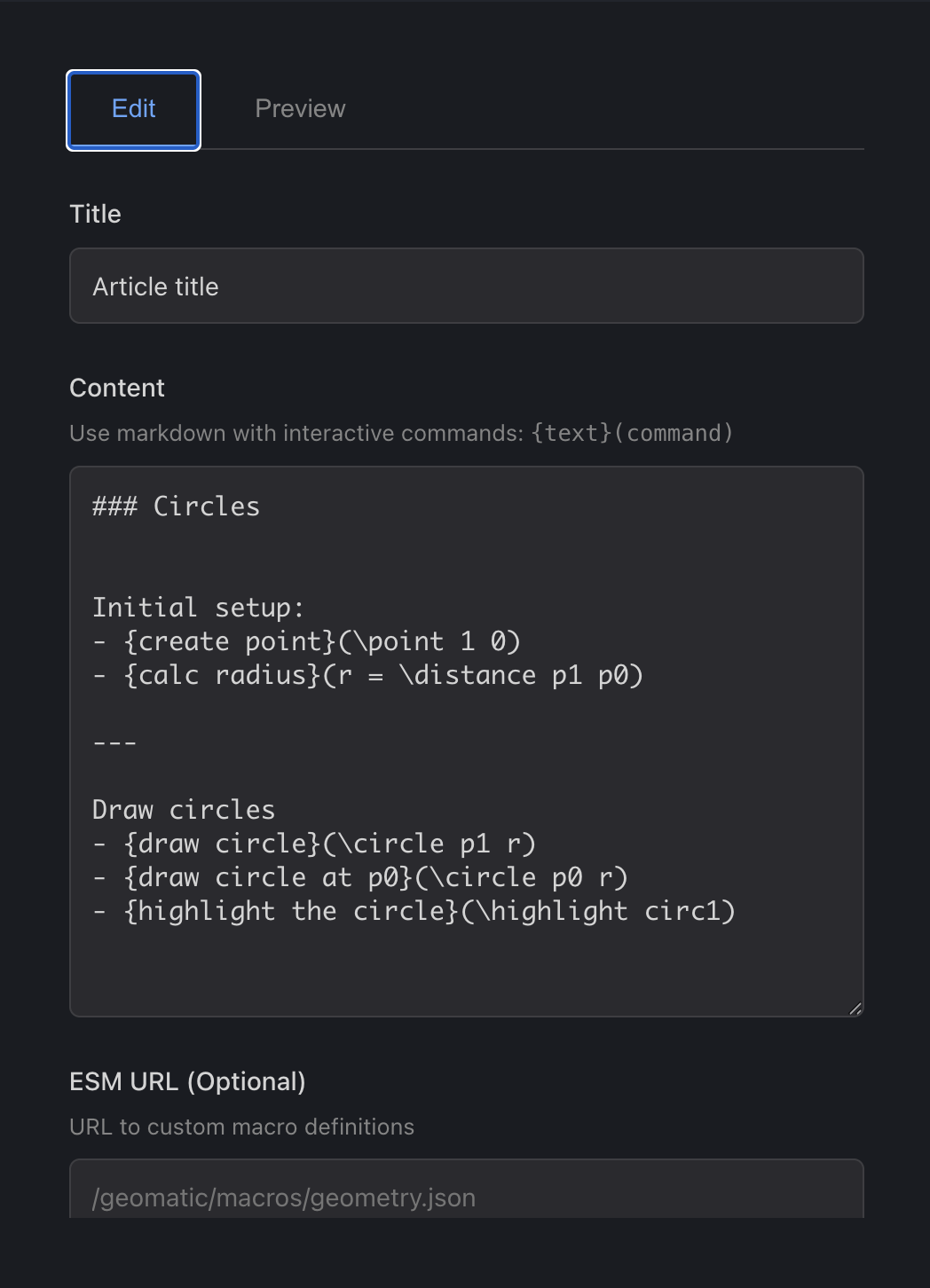
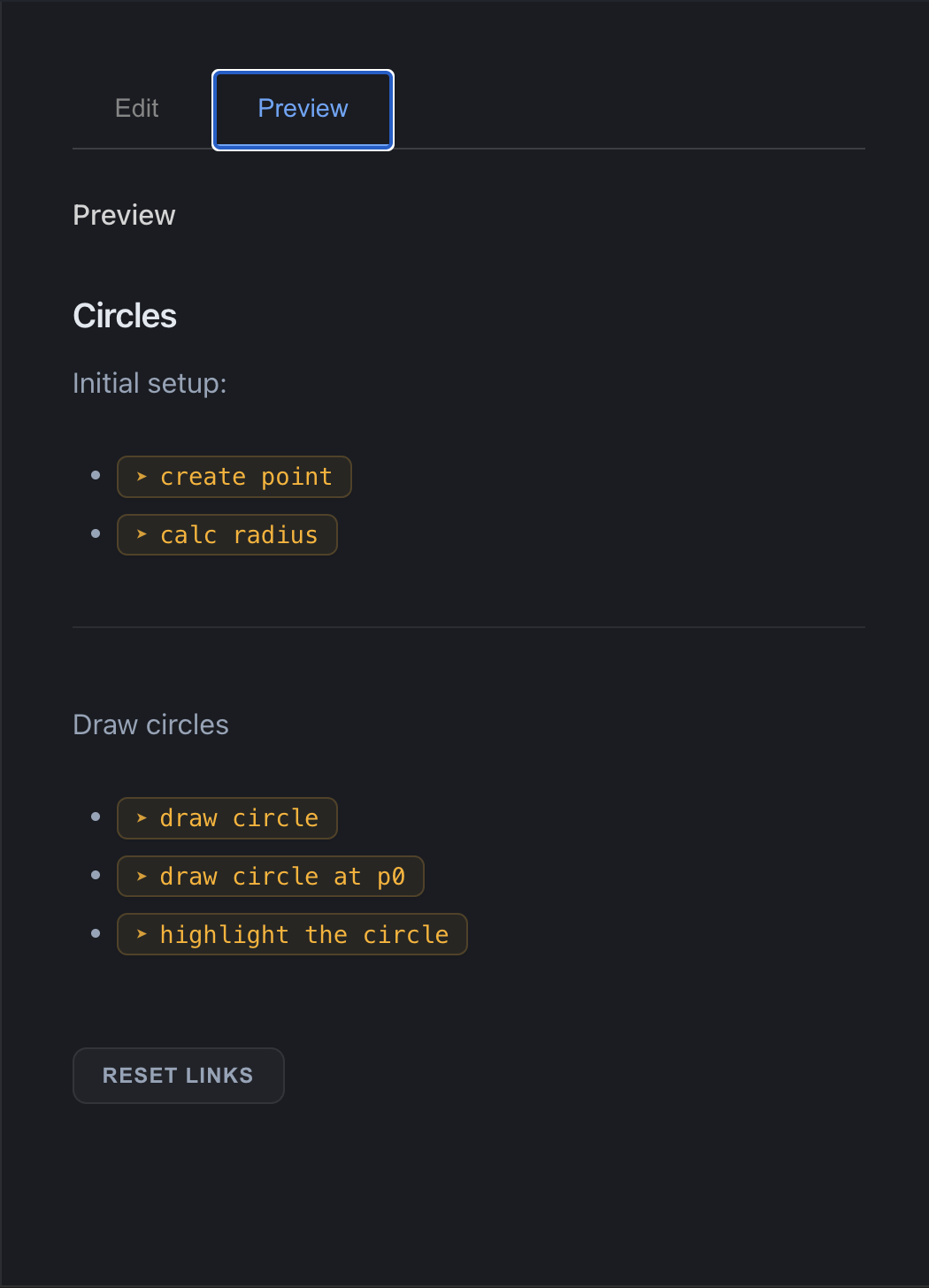
The final article shown in the screenshots above looks like this.
Interactive commands
In addition to standard markdown, articles support a special command format: {text}(command). When readers click on the text, the specified command is executed and the canvas state is updated.
This allows you to create truly interactive geometric essays where readers can explore concepts by clicking on highlighted text to trigger transformations and constructions.
Getting started
Ready to write your own article? Head over to the create page to start crafting your interactive geometric content. Remember, you'll need to be logged in and have a premium account to access this feature.
Start creating and share your knowledge with the world!